Reading DOM/DDM: Rx power, thresholds and alarms
Your switch logs an Rx power low alarm. How to read DOM/DDM on Cisco, Juniper, Arista and MikroTik, what the values mean and where to look first.
Your switch logs "Rx power low alarm" on an uplink, or a link flaps and nobody knows why. The answer is usually sitting in the transceiver itself. This article shows you how to read DOM/DDMDOM/DDM Digital Optical Monitoring / Digital Diagnostic Monitoring: the transceiver reports live temperature, supply voltage, laser bias current and transmit and receive power. on the platforms you run into most, what the five values mean, how to interpret thresholds and alarms, and a checklist that narrows low Rx power down to one cause in a few minutes.
What DOM/DDM is (and why it's all the same)
DOM, DDM and DDMI are three names for one thing: a diagnostic memory block in the transceiver that the switch can read live. For SFP and SFP+ it's defined in SFF-8472, at the A2h address next to the regular ID data. QSFP modules do the same via SFF-8636. So "DDM vs DOM" has a short answer: no difference, just a different vendor label.
It is optional, though: a module declares whether it supports DOM, and not every platform or software release reads it.
The five values
- Temperature — internal module temperature, in °C.
- Voltage (Vcc) — the module's supply voltage, in V.
- Bias current — the current through the laser, in mA. If it creeps up over months while Tx power stays flat, the laser is ageing. SFF-8472 explicitly mentions high bias as a possible end-of-life warning.
- Tx power — what the laser sends, in mW or dBm.
- Rx power — what arrives, in mW or dBm. Usually the value that matters.
Multi-lane QSFPs (40G/100G SR4, LR4, ER4, PSM4, CWDM4) report Rx power and bias per lane: look per lane, not at an average. Single-lambda modules (100G DR1, FR1, LR1) have one optical lane. The SFF-8636 memory map has four channel fields, but only one Rx power counts there.
What people tend to forget: SFF-8472 requires Tx and Rx power accuracy of ±3 dB. A half-dB difference between two ports tells you nothing; watch trends, not decimals.
How to read it
- Cisco IOS XE —
show interfaces Te1/0/1 transceiver detailgives the values plus the high/low alarm and warning thresholds. - Juniper Junos —
show interfaces diagnostics optics xe-0/0/0shows laser output power, receiver signal average optical power and the alarm and warning flags, among others. - Arista EOS —
show interfaces Ethernet1 transceiver dom thresholdsputs each value next to its four thresholds, per channel. - MikroTik RouterOS —
/interface ethernet monitor sfp-sfpplus1returnssfp-rx-powerandsfp-tx-powerin dBm, among others. - Huawei VRP — on the S series
display transceiver interface GigabitEthernet0/0/1 verboseordisplay transceiver diagnosis interface GigabitEthernet0/0/1; on CloudEnginedisplay interface 10GE1/0/1 transceiver verbose. So the syntax differs per series.
Thresholds, warnings and alarms
Every value has four limits: high alarm, high warning, low warning and low alarm. Your switch doesn't set them; the manufacturer writes them into the transceiver. That's why they differ per optic.
The difference according to SFF-8472: a warning means you're outside the normally guaranteed bounds, but the link doesn't have to fail yet. An alarm goes with a link that probably isn't working any more and needs action now.
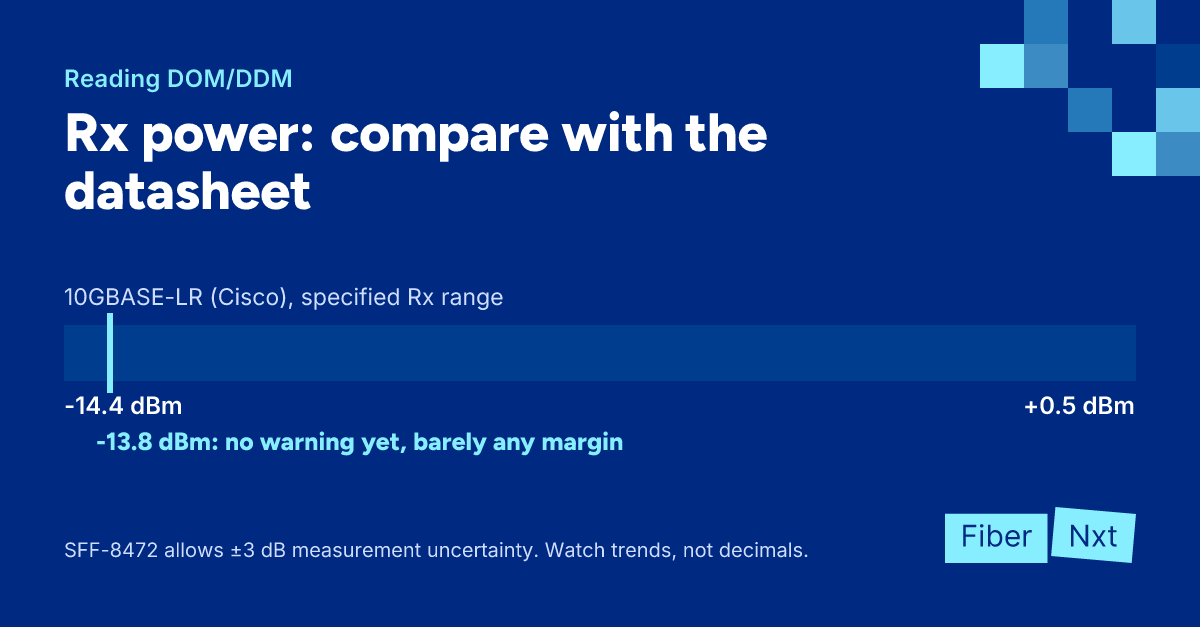
Check the datasheet as well. Cisco specifies its 10GBASE-LR module for an Rx power of -14.4 to +0.5 dBm. Read -13.8 dBm and your switch may not warn yet, but you have almost no margin left. One more dirty connector and you're out. Our advice: keep a few dB away from the minimum, especially given that ±3 dB measurement uncertainty.
What "Rx low" usually means
- Dirty connector — always start here. Dust on an end face costs light, and Cisco advises inspecting and cleaning every connector before you mate it. Do that before you replace anything.
- Wrong reach or too much attenuation — too many patches and splices on the route, or an optic not meant for that distance and fiber type.
- Bad patch cordPatch cord Short, pre-terminated cable with connectors on both ends (for example LC-LC) that connects equipment to a patch panel or to each other. — kinked, bundled too tight or simply broken.
- Wrong BiDi pair — two of the same BiDi variant won't work; you always need a complementary pair. You'll usually see no light rather than little.
Rx around -40 dBm, or Junos showing no dBm value at all, means nothing is arriving: check that the far end transmits and that Tx and Rx aren't crossed.
Rx too high? That happens with long-reach optics on a short link. Cisco requires a 5 dB attenuator for its 10GBASE-ER module below 20 km, to avoid overloading the receiver.
Checklist: fixing low Rx power with DOM
- Read DOM on both ends of the link: Tx power, Rx power, bias current and temperature.
- Compare Rx power with the receive range in the datasheet, not just with the thresholds.
- Check, if there's no light, that the far end transmits and that Tx and Rx aren't crossed.
- Check for BiDi that you have a complementary pair.
- Inspect and clean every connector in the path, including the patch panel.
- Replace the patch cord with one you know is good.
- Recalculate the route: does the optic's reach fit the distance and fiber type?
- Fit an attenuator per the datasheet if Rx power is too high.
- Record the values after the fix as a baseline for next time.
What to do now
Record a baseline for your critical links today, so you spot a sinking Rx power before the alarm does. Clean with a Clear Connection Tool; replacement optics we deliver same day in Amsterdam. Want your links measured and documented? See the optics and link test on our services page.

Founder of FiberNxt and Xyphen IT
Yvan Watchman is the founder of FiberNxt and Xyphen IT. He has been building and running networks and data centre infrastructure in and around Amsterdam for years.
Related products and services
Frequently asked questions
What is the difference between DOM and DDM?
There is no technical difference. DOM (Digital Optical Monitoring), DDM and DDMI (Digital Diagnostic Monitoring Interface) are names for the same function, defined for SFP modules in SFF-8472. Which name you see depends on the vendor of your switch or transceiver.
What is a good Rx power for an SFP?
It depends on the optic. Check the receive power range in the datasheet: Cisco specifies its 10GBASE-LR module from -14.4 to +0.5 dBm, for example. If you're inside that range with a few dB to spare at the bottom, you're fine. If you're just above the minimum, it works today but not for long.
My switch shows no DOM values. Is the optic broken?
Not necessarily. DOM is optional in SFF-8472, and not every platform or software release reads it. Nearly all modern optics support DOM, but check that your switch actually displays it for that type. Not sure about one of our optics? Just ask us.