Cleaning fiber connectors: inspect, clean, and what never to do
High loss, CRC errors, or about to patch new links? How to inspect and clean connectors, bulkheads and transceiver ports, with a printable checklist.
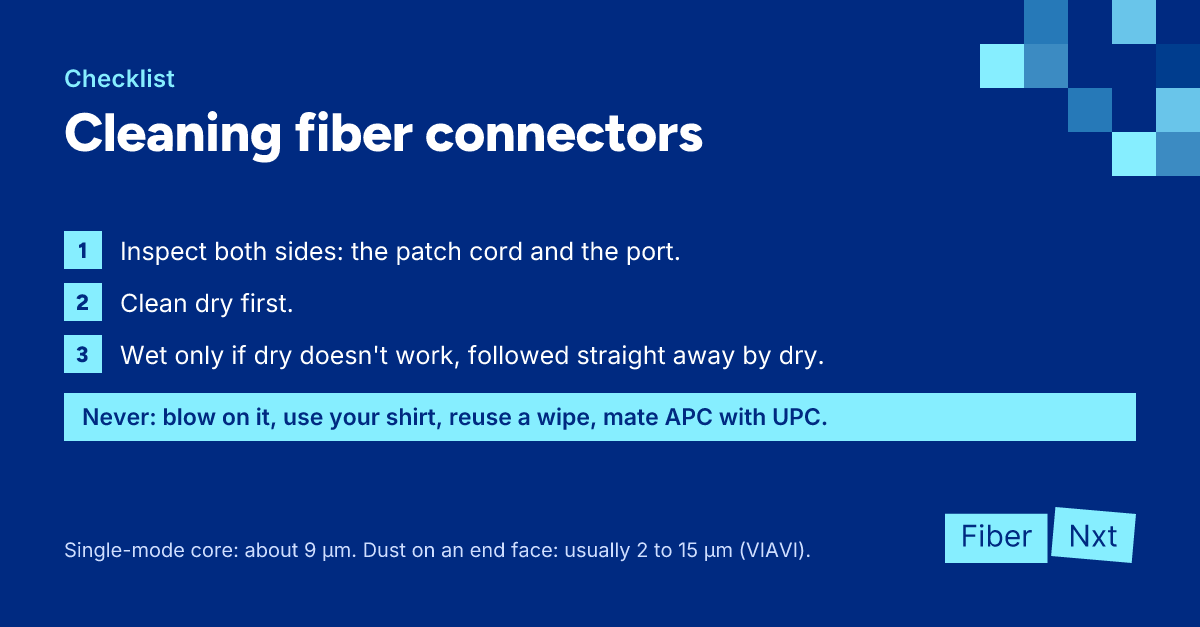
The link won't reach the Rx power you expected, the CRC counter keeps climbing, or you're about to patch thirty new links and want them right first time. In all three cases the place to start is the end face of every connector in the path. Below: how to inspect, when dry is enough, when to go wet-dry, and what never to do, with the procedure as a printable checklist.
Why one speck of dust is already too much
In single-modeSingle-mode Fiber with a core of about 9 µm (OS1/OS2, yellow) that carries light in a single mode. Suited to distances from a few kilometres to far beyond. fiber the light travels through a region about 9 µm across; Corning specifies a 9.2 µm mode field diameter at 1310 nm for SMF-28 Ultra. The dust you find on end faces, according to VIAVI, is typically 2 to 15 µm. So a single particle can cover a good part of the core. That adds insertion loss and worsens return loss, and when you mate the connector the particle can permanently damage the end face. You only see it through a scope, hence: inspect before you connect.
Inspecting to IEC 61300-3-35
IEC 61300-3-35 splits the end face into four zones: A (core), B (cladding), C (adhesive) and D (the contact zone of the ferrule). The 2015 edition rejected any scratch or defect in the single-mode core zone. Since edition 3 in 2022, only A and B decide pass or fail, and measured optical performance takes precedence: a connector that fails visually but meets its insertion loss and return loss may be used. Remove loose particles in zone D anyway. If several attempts don't shift them, they count as embedded and acceptable.
Always inspect both sides: the patch cable and the bulkhead or port it goes into. A clean connector in a dirty adapter is dirty again after one insertion. On APC, put an APC tip on your scope; they exist as separate tips per connector type.
The procedure
- Inspect the connector and the port or bulkhead before you touch anything.
- Dry clean with a cassette, or with a click cleaner for the right ferrule: LC is 1.25 mm, SC 2.5 mm.
- Inspect again, and repeat the dry clean if loose particles remain.
- Clean wet-dry if oily residue or fingerprints stay put (not in bulkheads or ports): one small damp spot, then one stroke into the dry area.
- Clean the far side of the bulkhead too if you can reach it.
- Inspect the transceiver port and clean it only if you see dirt on the end face.
- Inspect everything one last time and plug the connector in straight away.
- Read Rx power via DOM and compare it with the value from before cleaning.
Dry comes first because it's quick and leaves nothing behind. Cisco advises cleaning wet only when dry doesn't work, and always following up immediately with a dry clean: liquid that evaporates slowly drags dirt onto the core. Use a fiber cleaning fluid; Fluke warns that isopropyl alcohol can leave a halo. Sticklers argues that dry wiping builds up static that attracts fresh dust, so it recommends wet-dry (a vendor position). In bulkheads and ports, clean dry.
A transceiver port is a special case. IEC TR 62627-01, the technical report on cleaning methods, explicitly excludes transceivers and refers to a separate document. Cisco is cautious: a swab in a port isn't always effective, and you should never clean a port you can't inspect. If your scope can't bring an end face into focus, there's a lens in there and you leave it alone. When in doubt, swap the optic rather than poke around inside it.
What you never do
- Blow on it — not with your mouth, and no compressed air from a hose (FOA). Canned air can leave propellant behind, and according to Fluke air just blows the particles around.
- Use your shirt, a facial tissue or a paper towel — fabric and cotton leave threads behind. Use lint-free fiber wipes.
- Reuse a wipe or cassette strip — you just smear the last connector's dirt onto the next one.
- Touch the end face — skin oil on the ferrule then has to come off again, often wet-dry.
- Trust a dust cap — caps protect against scratches but can shed residue themselves. Do put them back on anything that's unplugged.
APC, UPC and MPO
Many click cleaners handle both UPC and APC; Fujikura states this for its LC and SC models, for example. Check it for your cleaner. When cleaning with a wipe or cassette, hold the connector at the same angle as the 8° APC end face. And never mate APC (green) with UPC (blue); see fiber patch cable color codes.
MPO needs its own cleaner that takes the whole ferrule in one go, pinned and unpinned (check that for your cleaner). MPO-16 and -32 need their own cleaner again. Inspect the full ferrule for loose particles first, then each fiber individually.
What to do now
Print the checklist and keep it with your cleaner. We supply the Clear Connection Tool in an LC and an SC version, and a clean OS2 patch cable if you'd rather replace than clean. Link still not right after cleaning? Work through the SFP checklist or read how to read DOM/DDM. Want your links inspected and measured? See our services.

Founder of FiberNxt and Xyphen IT
Yvan Watchman is the founder of FiberNxt and Xyphen IT. He has been building and running networks and data centre infrastructure in and around Amsterdam for years.
Related products and services
Frequently asked questions
Can I blow dust off a fiber connector?
No. Don't blow on it yourself, don't use compressed air from a hose, and canned air can leave propellant behind. Air only moves loose particles around at best. Use a click cleaner or a cassette and inspect afterwards.
Do I need to clean a new patch cable that still has its dust cap on?
Inspect it at the very least. Dust caps can shed residue themselves, even on a connector fresh out of the bag. If the end face is clean, plug it in as is. If not, clean it first.
Do I need a different cleaner for APC?
Not necessarily. Many click cleaners handle both UPC and APC, but check the specs of yours. Your inspection scope does need a separate APC tip.