SFP vs SFP+ vs SFP28 vs QSFP+ vs QSFP28: which form factor fits where
SFP vs SFP+, SFP28 vs SFP+ and QSFP28 vs QSFP+: what the difference is, which module works in which port, and how to get from QSFP28 to SFP28.
Your switch has ports labelled "SFP+", your server has an "SFP28" card and your uplink says "QSFP28". You need to order optics, the modules look nearly identical and some of them even fit each other's ports. Below you get a table of the five common form factors, the rules for what does and doesn't work together, and the two ways to get from QSFP28 to SFP28.
The difference in one table
First, the misconception behind most wrong orders: the form factorFormfaktor Die physische Bauform und der elektrische Steckplatz eines Transceivers: SFP, SFP+, SFP28, QSFP+, QSFP28 und so weiter. Bestimmt, in welchen Port er passt. tells you nothing about distance or fiber type. It only tells you how many lanes there are and how fast each lane runs. Distance is the reach (SR, LR, ER), and that is a second, separate choice.
| Form factor | Lanes × speed | Typical use | Specification |
|---|---|---|---|
| SFP | 1 × 1G | access, management, older uplinks | SFP MSA |
| SFP+ | 1 × 10G | servers, access uplinks | SFF-8431 |
| SFP28 | 1 × 25G | servers, leaf switches | SFF-8402 |
| QSFP+ | 4 × 10G = 40G | older uplinks, 4×10G breakout | SFF-8436 |
| QSFP28 | 4 × 25G = 100G | spine, uplinks, 4×25G breakout | SFF-8665 |
SFP, SFP+ and SFP28 share the same housing. The QSFP family is wider and deeper and has four electrical lanes. So a module physically fitting the port says nothing about whether the link comes up.
What works in which port
This is where it goes wrong in practice. Four rules that almost always get you further:
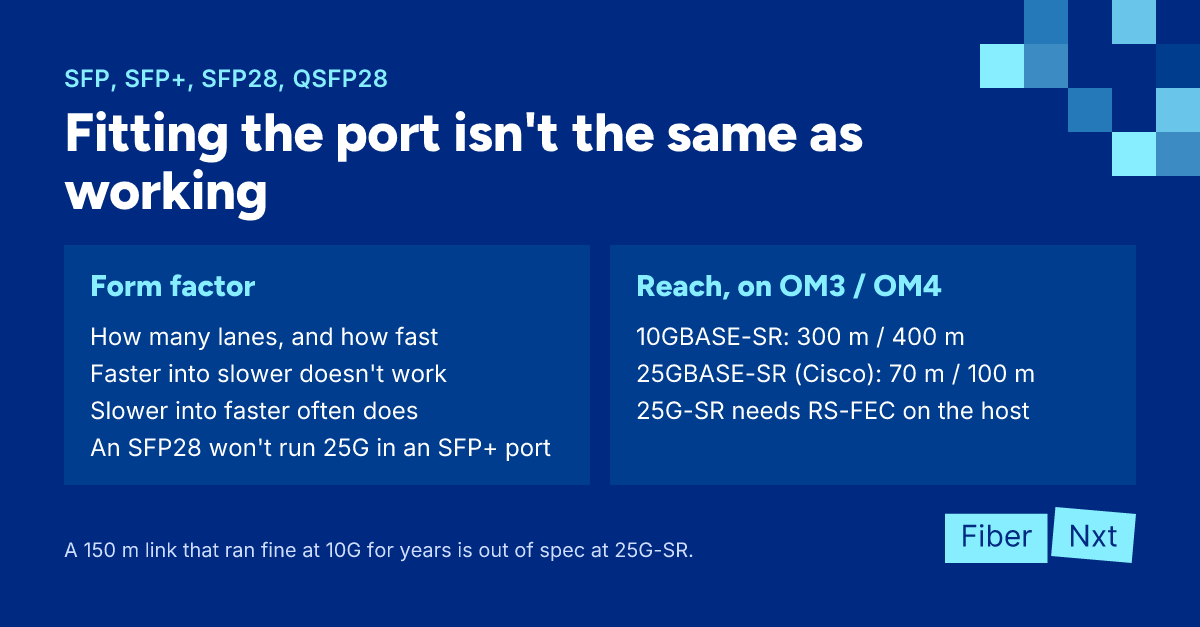
- Faster into slower doesn't work — an SFP+ fits a 1G SFP port, but that port won't run 10G. The same goes for SFP28 in an SFP+ port and QSFP28 in a QSFP+ port. The exception is modules that are explicitly dual-rate; the datasheet will say so.
- Slower into faster often works — SFP28 ports often take an SFP+ at 10G, and QSFP28 ports often take a QSFP+ at 40G. Often, not always: it depends on your switch's ASIC and software, and sometimes you have to pin the port speed yourself.
- 1G in an SFP+ port is a grey area — many SFP+ ports accept a 1G SFP, not all of them. On 25G switches, 1G sometimes disappears entirely. No MSA guarantees it.
- Coding is separate from form factor — a module that is electrically right can still be rejected if its codingCodierung Die Herstellerkennung im EEPROM eines Transceivers. Viele Switches akzeptieren nur Optiken, die für die eigene Marke codiert sind. doesn't match your switch.
What it looks like when a vendor does pin it down: Cisco specifies the 48 downlinks of the Nexus 93180YC-FX as 1/10/25G and its six uplinks as 40/100G. Rules like that live in your switch's datasheet. Read that, not a generic blog. This one included.
SFP28 vs SFP+: more than a faster SFP+
25G isn't just 10G with a faster clock. Many 25G optics rely on RS-FEC, which your host has to enable. That affects multimode distance: Cisco rates its 25GBASE-SR at 70 m on OM3 and 100 m on OM4, with RS-FEC on the host. A 10GBASE-SR does 300 m on OM3 and 400 m on OM4.
Upgrading an existing multimode path from 10G to 25G? Measure it first. A 150 m link that ran fine at 10G for years is out of spec for 25G SR.
QSFP28 vs QSFP+, and from QSFP28 to SFP28
QSFP+ and QSFP28 share the housing: four lanes of 10G versus four lanes of 25G. A QSFP+ in a QSFP28 port runs at 40G if your switch supports it. The other way round generally doesn't work. The exceptions are modules deliberately built for both speeds, such as Cisco's QSFP-40/100-SRBD.
To get from a QSFP28 port to SFP28, you have two routes:
- Breakout — a breakoutBreakout Ein schneller Port, aufgeteilt in mehrere langsamere, zum Beispiel ein 100G-QSFP28 auf 4× 25G-SFP28 über ein Breakout-Kabel. Der Switch muss das unterstützen. DAC or AOC splits one QSFP28 into four SFP28 ends at 25G. Your switch must be able to put the port in breakout mode.
- Adapter (QSA) — an adapter that lets a single SFP28, SFP+ or SFP work in a QSFP28 port, such as Cisco's CVR-QSFP28-SFP25G. You use one of the four lanes, so at most 25G out of that port.
The same exists at 40G: some QSFP+ optics, such as Cisco's QSFP-40G-SR4, can be used as four 10GBASE-SR links with an MPO-to-LC breakout cable. Not every variant can. Cisco's QSFP-40G-SR4-S, for example, can't, even though the name is almost the same.
How to order the right one
Always work in the same order: first the port speed from your switch's datasheet, then the form factor that goes with it, then reach and fiber type, and finally the coding for your switch brand.
You'll find our modules by form factor under 1G SFP, 10G SFP+, 25G SFP28, 40G QSFP+ and 100G QSFP28. If it stays inside the rack, a DAC or AOC is often cheaper than two optics plus a patch cord. Not sure a module will work in your port? Ask an engineer: we'll check before you order, not after.

Gründer von FiberNxt und Xyphen IT
Yvan Watchman ist Gründer von FiberNxt und Xyphen IT. Er baut und betreibt seit Jahren Netzwerke und Rechenzentrumsinfrastruktur in und um Amsterdam.
Passende Produkte und Dienstleistungen
Häufig gestellte Fragen
Does an SFP28 work in an SFP+ port?
Not at 25G: an SFP+ port is electrically built for 10G. Some SFP28 optics are dual-rate and will run at 10G, but that is a property of that specific module and it will say so in the datasheet. Don't assume it.
Does an SFP+ work in an SFP28 port?
Often, at 10G. Many 25G switches support 10G on their SFP28 ports, sometimes only after you set the port speed manually. It depends on your platform, so check your switch's datasheet or compatibility matrix.
How do I connect a QSFP28 port to SFP28?
With a breakout cable that splits one QSFP28 into four SFP28 ends at 25G, provided your switch supports breakout on that port. Or with an adapter (QSA) that lets a single SFP28 work in the QSFP28 port; you then use one lane and get at most 25G out of that port.