Reach codes decoded: SX, LX, SR, LR, ER, ZR
SFP LX vs SX and 10GBASE-SR vs LR: what each reach code means, which come from IEEE 802.3, which fiber and wavelength they need, and how to choose.
You need to order a 10G uplink and the shop lists SR, LR, ER and ZR. At 1G it's suddenly SX and LX, and the old switch says "LH". Pick wrong and you end up with an 850 nm optic on single-mode fiber, or an 80 km laser overloading the receiver at the other end. Below: what each code means, a table with wavelength, fiber and distance, and a checklist that also looks at the real loss of your link.
What the letters mean
The Ethernet names come from IEEE 802.3: 1000BASE-SX, 10GBASE-LR and so on. The letter after BASE- roughly tells you which fiber and how far:
- S (short) — 850 nm, multimodeMultimode Fiber with a 50 µm core (OM3/OM4/OM5) that carries light in multiple modes. Cheaper optics, but limited to a few hundred metres.. For within the hall or building.
- L (long) — 1310 nm, single-modeSingle-mode Fiber with a core of about 9 µm (OS1/OS2, yellow) that carries light in a single mode. Suited to distances from a few kilometres to far beyond.. At 1G 5 to 10 km (see below), at 10G and 25G 10 km.
- E (extended) — 1550 nm, single-mode, 30 to 40 km at 10G.
- Z — around 80 km, 1550 nm. At 1G and 10G this isn't an IEEE standard but a vendor convention.
Where the standard ends and the vendor begins
This is where the confusion lives:
- LX vs LX10 — IEEE specifies 1000BASE-LX (Clause 38) at 5 km over single-mode. The 10 km variant came later as 1000BASE-LX10 (Clause 59). Vendors were already selling 10 km LX as "LX/LH", and that's still what Cisco calls it. So an "LX" off the shelf is usually 10 km: count on 5 to 10 km and check the datasheet.
- EX — 1310 nm, 40 km. Not an IEEE name; Cisco calls its 40 km SFP 1000BASE-EX.
- ZX and ZR — 1550 nm, around 70 to 80 km. Cisco states plainly that 10GBASE-ZR is not part of the 10 Gigabit Ethernet standard. Specs differ per vendor.
- ER at 10G — IEEE 802.3ae treats anything over 30 km as an engineered link. You only get the 40 km from datasheets if your loss stays within budget.
In short: SX, LX, SR, LR and ER are standard, the rest is agreement between vendors. For EX, ZX and ZR, always read the datasheet.
Overview
Distances are from Cisco's datasheets, except 1000BASE-LX (the IEEE value); other vendors are in the same ballpark.
| Code | Origin | Wavelength | Fiber | Typical distance |
|---|---|---|---|---|
| 1000BASE-SX | IEEE | 850 nm | multimode | 550 m (OM2), up to 1 km (OM3/OM4) |
| 1000BASE-LX | IEEE (Clause 38) | 1310 nm | single-mode | 5 km |
| 1000BASE-LX10 ("LX" on the market, Cisco: LX/LH) | IEEE (Clause 59) | 1310 nm | single-mode | 10 km |
| 1000BASE-EX | vendor | 1310 nm | single-mode | 40 km |
| 1000BASE-ZX | vendor | 1550 nm | single-mode | approx. 70 km |
| 10GBASE-SR | IEEE | 850 nm | multimode | 300 m (OM3), 400 m (OM4) |
| 10GBASE-LR | IEEE | 1310 nm | single-mode | 10 km |
| 10GBASE-ER | IEEE | 1550 nm | single-mode | 40 km (engineered above 30 km) |
| 10GBASE-ZR | vendor | 1550 nm | single-mode | approx. 80 km |
| 25GBASE-SR | IEEE | 850 nm | multimode | 70 m (OM3), 100 m (OM4) |
| 25GBASE-LR | IEEE | 1310 nm | single-mode | 10 km |
Two things stand out. Multimode distance drops sharply as speed goes up: 25G SR reaches a quarter of what 10G SR does. And the single-mode in datasheets is G.652 fiber; in practice you buy that as OS2.
Distance is not the same as loss
The distance in the table is what a module reaches on a clean link with few stops along the way. In practice, what counts is the loss of the whole path: the fiber itself, every mated connector pair on a patch panel or cross-connect, every splice, bends that are too tight and dirt on a connector. All of it comes off the same power budget.
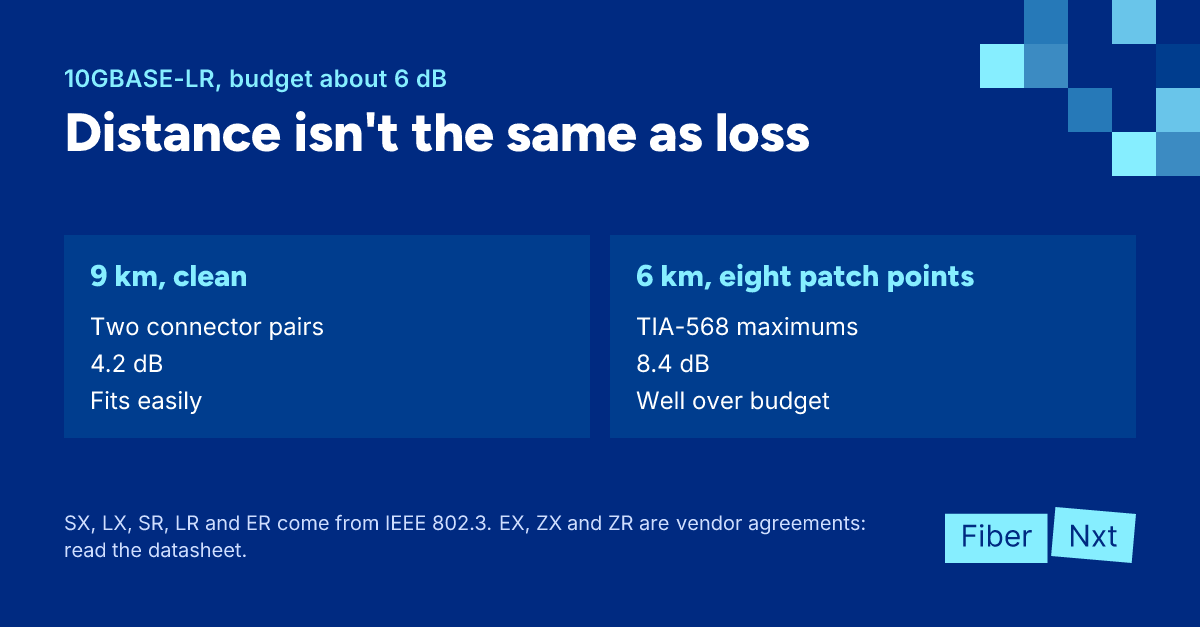
A worked example. IEEE 802.3 calculates 10GBASE-LR with 0.4 dB/km over 10 km plus 2 dB for connectors and splices, about 6 dB in total. A clean 9 km path with two connector pairs comes to 9 × 0.4 + 2 × 0.3 = 4.2 dB and fits easily. A 6 km path through eight patch points, at the TIA-568 maximum of 0.75 dB per connector pair, comes to 2.4 + 6.0 = 8.4 dB, well over budget. Even with tidy connectors the margin there is thin, and one dirty connector tips it. So the same 10 km module can fail on the shorter link and work fine on the longer one.
How to choose the right reach
- Measure the actual path length, including patch panels and cross-connects, not as the crow flies.
- Establish which fiber is in place: OM3, OM4 or OS2. Check the print on the jacket, and only trust the documentation once you've verified it.
- Estimate the link loss: fiber attenuation per km (around 0.4 dB/km for single-mode at 1310 nm, 3 dB/km for multimode at 850 nm), plus 0.3 to 0.75 dB per mated connector pair and about 0.1 dB per fusion splice. When in doubt, measure with a light source and power meter or with an OTDR.
- Inspect and clean every connector in the path before you blame the optic.
- Choose multimode SR or SX only if the link sits comfortably inside the table for your speed and fiber.
- Choose LR (10 km) or LX for single-mode, short links included. At 1G, check whether the LX is specified for 5 km (IEEE 1000BASE-LX) or 10 km (LX10).
- Choose ER, EX or ZR only when the loss calls for it, not the distance alone.
- Check that both ends have the same reach code and wavelength (for BiDi, a mirrored pair instead).
- Look up the maximum receive power in the datasheet; on short links with ER or ZR you need an attenuator.
One opinion we're happy to share: don't buy ER "to be safe". A stronger laser doesn't fix a dirty connector, a Clear Connection Tool does. And on a short link, ER creates a problem instead.
Ordering
You'll find 1G modules under 1G SFP and 10G under 10G SFP+, where you pick the reach per module. The SFP-10G lists SR, LR, ER and ZR side by side. The patch cords to go with them: OM4 LC-LC for SR and OS2 LC-LC for LR and beyond. Not sure which fiber is in the wall, or which reach you need? Call an engineer, or have us measure your link loss with an optics and link test through our services.

Founder of FiberNxt and Xyphen IT
Yvan Watchman is the founder of FiberNxt and Xyphen IT. He has been building and running networks and data centre infrastructure in and around Amsterdam for years.
Related products and services
Frequently asked questions
What does LX mean on an SFP?
LX stands for long wavelength: 1310 nm, meant for single-mode. IEEE 802.3 specifies 1000BASE-LX at 5 km over single-mode; the 10 km variant is officially 1000BASE-LX10. Many LX modules on the market are specified for 10 km; Cisco calls them LX/LH. So expect 5 to 10 km, depending on the module.
Can I use an LR module on a short link?
Yes. For 10GBASE-LR, IEEE 802.3ae sets a minimum cable length of 2 m, so a short patch is within spec. ER and ZR are different: Cisco requires a 5 dB attenuator on its 10G ER below 20 km, and up to 15 dB for ZR on links shorter than 5 km. Otherwise you overload the receiver.
Does an SR module work on single-mode fiber?
No. SR and SX are 850 nm optics specified for multimode only. If the fiber is single-mode, choose LR or LX.