What is an SFP port and which module do you need?
What the SFP port on your switch is, what an SFP module does, and how to choose one in five steps: speed, fiber type, reach, connector and coding.
Next to the regular network ports on your switch there are a few empty, square slots labelled "SFP" or "SFP+". You want to connect a fiber link to one, or an uplink to another switch, but which module goes in? This article explains what that port is and walks you through five steps to the right module: speed, fiber type, reach, connector and coding.
What is an SFP port?
An SFP port is a plug-in slot for a transceiverTransceiver Pluggable module that converts electrical signals from a switch or NIC to light (or copper) and back. Transmitter and receiver in one housing, such as an SFP+ or QSFP28.. SFP stands for small form-factor pluggable. The port itself has no fixed connection: the module you plug in decides whether you connect fiber, copper or a DAC cable, and over what distance.
That's exactly the point. The same switch can run a short copper cable to a server on port 49 and a 10 km fiber to the other building on port 50. You buy the switch once and choose per port what you need.
What the label above the port tells you:
- SFP — 1G.
- SFP+ — 10G. Same size, often also accepts 1G modules, depending on your switch.
- SFP28 — 25G. Often also accepts SFP+ at 10G.
- QSFP+ / QSFP28 — 40G and 100G, a wider slot with four lanes.
For the full story on form factors and what works in which port, read our article on SFP, SFP+, SFP28 and QSFP28.
What is an SFP module?
The module is the part you plug into the port. It converts the switch's electrical signal to light (or to copper, for an RJ45 module). On the front is the connector your cable goes into, usually an LC duplex for fiber.
A few misconceptions we hear a lot:
- "An SFP is an SFP" — no. There are modules for multimode and single-mode, for 300 m and for 80 km, and for different switch brands. They all fit the same port, but they don't all work.
- "The light is on, so it works" — a lit port LED says little about whether the module matches the other end.
- "Copper is always easier" — an RJ45 module is handy for a single copper connection, but for short links between switches in the same rack a DAC is usually cheaper and simpler.
Which module do you need?
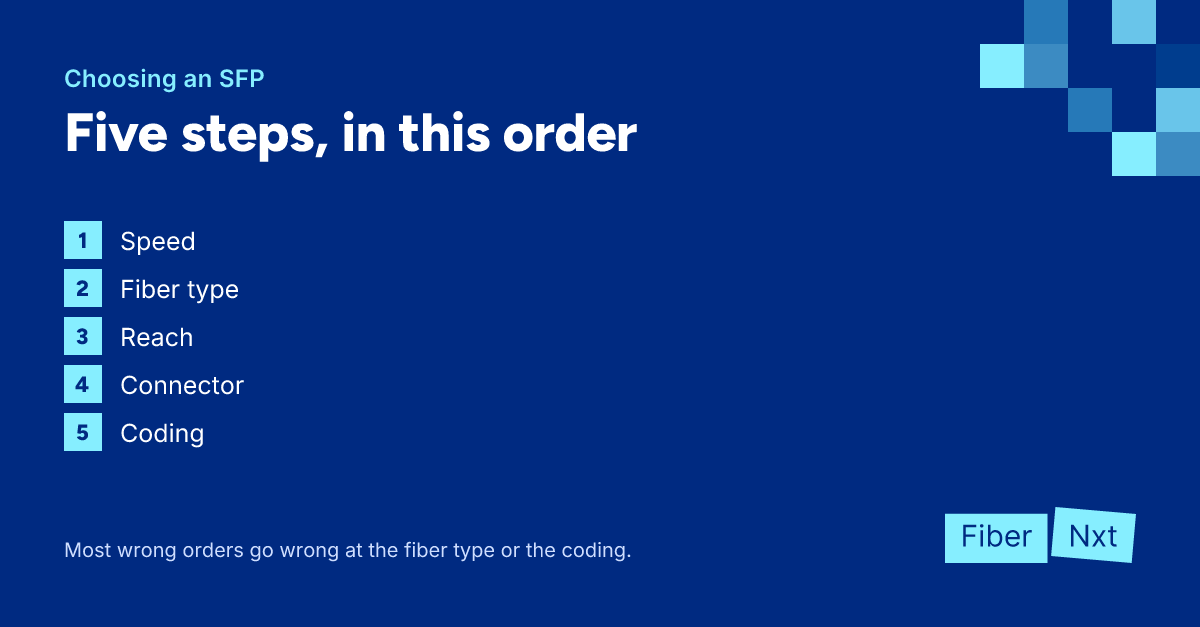
Follow these steps in this order. Don't skip any: most wrong orders go wrong at step 2 or step 5.
- Look up your port speed in your switch's datasheet: 1G (SFP), 10G (SFP+) or 25G (SFP28). Both ends of the link must run the same speed.
- Establish which fiber type is in place: multimode (OM3/OM4) or single-mode (OS2). If it's copper, choose an RJ45 module; if everything is in the same rack, a DAC is often the best choice.
- Choose the reach that fits the distance and fiber: SX or SR for multimode within the building, LX (5 to 10 km) or LR (10 km) for single-mode, and further only if you must.
- Check the connector: usually LC duplex, but BiDi modules run over a single fiber and have a simplex connector, LC or SC. Look at what's in your patch panel.
- Order the coding for your switch brand. Many switches reject modules that aren't coded for their brand.
Not sure at step 2 or 3 what's in the wall? No shame in that, it's rarely documented well. But don't guess: an SR module is specified for multimode only, so don't count on it working over single-mode fiber.
Home fiber from your ISP? That's a different story
Plenty of people searching for an SFP module want to plug their own router straight into their ISP's fiber, without the provider's box in between. Which module you need depends on the technology behind your connection:
- Active fiber (AON, point-to-point) — usually a 1000BASE-BX BiDiBiDi Bidirectional transceiver: transmits and receives over a single fiber on two different wavelengths (for example 1310/1550 nm). Always deployed in pairs with mirrored wavelengths. SFP: 1G over a single fiber, on your side often transmitting at 1310 nm and receiving at 1490 nm. We sell those under 1G BiDi. Which side (U or D), which distance and which connector your connection needs, and whether your provider allows your own router with an SFP, varies.
- GPON or XGS-PON — here you need an ONT stick: an SFP with the ONT function built in, which your provider has to support and register on your connection. We don't sell those.
Which technology you have differs per provider (KPN, Odido, Delta Fiber, Freedom, Glasnet, Jonaz, Youfone and others) and sometimes even per address, because providers deliver over different networks. Our tool which SFP for my fiber connection lets you look it up per provider. Still not sure? Get in touch and we'll help you figure it out.
For your business network
For switches, servers and firewalls in your business network or data center, you'll find all modules under optics, by speed under 1G SFP and 10G SFP+. For a copper connection there's the SFP-1G RJ45, and inside the rack a DAC cable. Not sure which module you need? Send us your switch model and we'll work it out for you, including the right coding.

Founder of FiberNxt and Xyphen IT
Yvan Watchman is the founder of FiberNxt and Xyphen IT. He has been building and running networks and data centre infrastructure in and around Amsterdam for years.
Related products and services
Frequently asked questions
Can I use an SFP port without a module?
No. An SFP port is an empty slot. You only get a working connection once a module or a DAC cable is plugged in, and the module decides which cable you can use: fiber, copper (RJ45) or a fixed DAC.
Which SFP module do I need for my home fiber connection?
That depends on the technology behind your connection. On active fiber (AON, point-to-point) it is usually a 1000BASE-BX BiDi SFP, which we sell. On GPON or XGS-PON you need an ONT stick that your provider supports and registers, which we don't sell. Which technology you have, and whether you may use your own module, differs per provider and sometimes per address.
Is an SFP port the same as an SFP+ port?
They look the same, but an SFP port is 1G and an SFP+ port is 10G. Many SFP+ ports also take a 1G SFP, but that depends on your switch. The other way round, an SFP+ won't run 10G in a 1G port.