SFP Rx power: what dBm is normal, and when should you act?
Your optic reads -14.2 dBm. Good or bad? Receive sensitivity and overload per optic type, how much margin to keep, and what to fix in which order.
You run the monitor command on your MikroTik and it says sfp-rx-power: -14.2dBm. Fine, or time to walk to the rack? The honest answer is that it depends on the optic. For one module -14.2 dBm is plenty, for another it's on the edge, and for a third the link is effectively already gone. Below you'll find the datasheet limits per optic type, how much margin to keep, how to read both ends of a link together, and the order in which to fix things.
dBm in a nutshell
dBm is power relative to 1 mW, on a logarithmic scale. 0 dBm is 1 mW, -10 dBm is 0.1 mW and -20 dBm is 0.01 mW. Every 3 dB is roughly a halving or a doubling, so -14.2 dBm works out to about 0.038 mW. A "small" 3 dB of loss means half the light. If you see something around -40 dBm, you're at the bottom of the DOM/DDMDOM/DDM Digital Optical Monitoring / Digital Diagnostic Monitoring: Der Transceiver meldet live Temperatur, Versorgungsspannung, Laserstrom sowie Sende- und Empfangsleistung. scale: nothing is arriving.
What's normal, per optic type
Every optic has two Rx power limits. The lower one is often listed as receive sensitivity: below it, the receiver no longer meets its specified bit error rate. The upper one is the overload: above it, the receiver is overdriven. The values below come from Cisco datasheets. BX20 isn't an IEEE standard, so for that row we used an FS datasheet. All figures are average power in dBm, per lane for the 100G optics.
| Type | Rx min | Rx max (overload) | Comfortable from |
|---|---|---|---|
| 1000BASE-SX | -17 | 0 | -14 |
| 1000BASE-LX (10 km) | -20 | -3 | -17 |
| 1G BX10 (U/D) | -19.5 | -3 | -16.5 |
| 1G BX20 (U/D) | -23 | -3 | -20 |
| 10GBASE-SR | -9.9 | -1.0 | -6.9 |
| 10GBASE-LR | -14.4 | +0.5 | -11.4 |
| 10GBASE-ER | -15.8 | -1.0 | -12.8 |
| 25GBASE-SR | -10.3 | +2.4 | -7.3 |
| 25GBASE-LR | -13.3 | +2.0 | -10.3 |
| 100GBASE-SR4 (per lane) | -10.3 | +2.4 | -7.3 |
| 100GBASE-LR4 (per lane) | -10.6 | +4.5 | -7.6 |
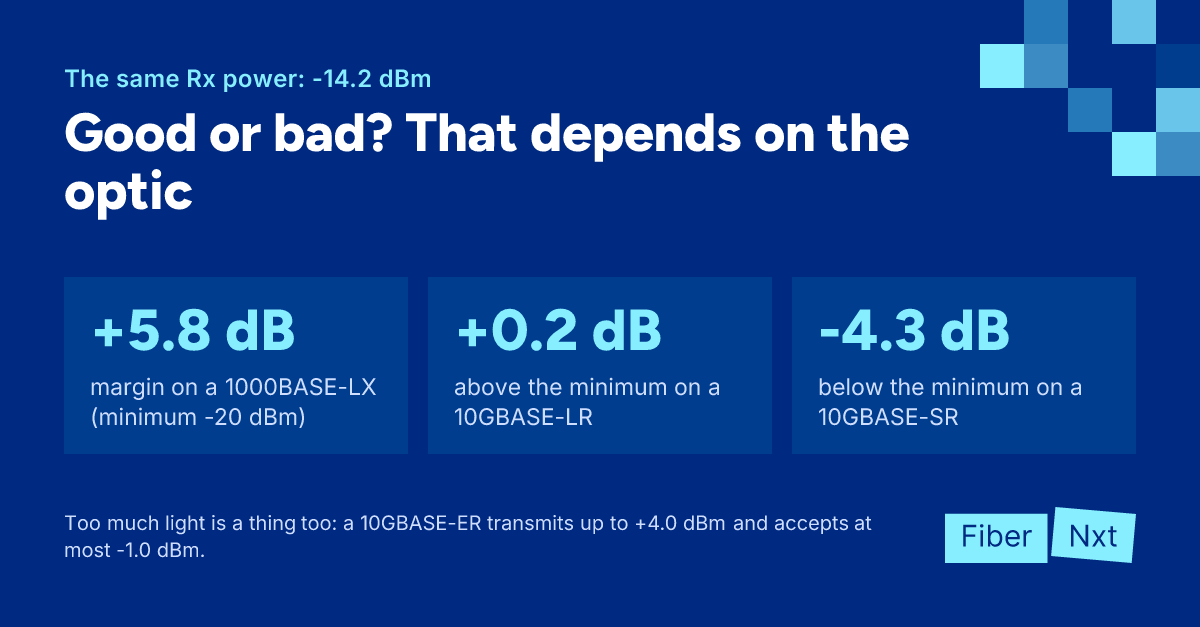
The last column is our rule of thumb: the minimum plus 3 dB of margin. Between that and the overload is the window you want to be in. Back to -14.2 dBm: on a 1000BASE-LX you have 5.8 dB to spare and nothing is wrong. On a 10GBASE-LR you're 0.2 dB above the minimum, and one dirty connector will take you out. On a 10GBASE-SR you're 4.3 dB below it. Cisco says as much in a footnote: being inside the range is required, but it doesn't guarantee the link works. Other vendors can differ slightly: check the datasheet of your own module.
Too low, and too high
Below the comfortable line doesn't automatically mean a fault. A healthy 10GBASE-SR transmitting at its minimum Tx power lands at -9.9 dBm after just 2.6 dB of loss. Thin margin is a reason to look, not proof that something is broken.
Too much light is rarer, but it happens. A 10GBASE-ER transmits up to +4.0 dBm and may receive at most -1.0 dBm, so the link needs at least 5 dB of loss. Cisco requires a 5 dB attenuatorDämpfungsglied Passives Bauteil, das eine feste Lichtmenge in dB wegnimmt, zum Beispiel 5 dB. Sie setzen es vor den Rx-Port, wenn eine Long-Reach-Optik auf einer kurzen Strecke den Empfänger übersteuert. below 20 km, and up to 15 dB for ZR below 5 km. An ER or ZR ordered "to be safe" on a short link is the opposite of safe. The same goes for long-reach BiDiBiDi Bidirektionaler Transceiver: sendet und empfängt über eine einzige Faser auf zwei verschiedenen Wellenlängen (zum Beispiel 1310/1550 nm). Er wird immer paarweise mit gespiegelten Wellenlängen eingesetzt. variants, see BiDi pairs explained.
Why the absolute number only tells half the story
SFF-8472, the standard behind DOM, allows ±3 dB of accuracy for Rx and Tx power. Two modules on the same link can disagree by a few dB without anything being wrong. What you can trust is a module compared with itself. Record the value while the link is healthy and watch the trend. If a link that sat at -5 dBm for months suddenly drops to -9 dBm, something changed, even though -9 dBm looks perfectly fine in the table.
Always look at the Tx power on the far end as well. Rx is roughly the far end's Tx minus the loss of the path. If the far end transmits -2.1 dBm and you receive -14.2 dBm, you're losing 12.1 dB. On a 10GBASE-LR, with a budget of about 6.2 dB, that's far too much. The path is your problem, not the laser.
In a SIGCOMM 2017 paper, Microsoft described how it uses this pattern in its data centers:
- Rx low on one side, Tx fine on both — most likely a dirty connector. Cleaning both ends fixed it.
- Rx low on both sides, Tx fine — a bent or damaged fiber.
- Far-end Tx low or slowly dropping — the laser is wearing out. In their data that was under 1% of cases.
- Tx and Rx fine, errors anyway — a bad or loosely seated transceiver: reseat it first, replace it second.
Fix it in this order
- Read Tx and Rx power on both ends of the link, per lane for SR4 and LR4.
- Compare Rx with the datasheet and with that module's own baseline.
- Inspect and clean the connectors on both ends, including the patch panel, then inspect again.
- Swap the patch cordPatchkabel Kurzes, konfektioniertes Kabel mit Steckern an beiden Enden (zum Beispiel LC-LC), das Geräte mit einem Patchpanel oder miteinander verbindet. for one you know is good, and check that no APC is mated to UPC anywhere.
- Walk the path looking for kinks and bends that are too tight.
- Reseat the transceiver, and only then swap it for a spare.
- If Rx is too high, fit an attenuator in front of the Rx port, as the datasheet specifies.
- Record the values after the fix as the new baseline.
What to do now
Clean with a Clear Connection Tool; an OS2 patch cord or replacement optics we deliver same day in Amsterdam. Want a link measured? See our services.
Rather not track this yourself? That's what we're building Praevisio for, currently in beta. Praevisio watches Rx and Tx power, bias and temperature against each module's own baseline, together with CRC and FEC errors and flaps, and compares them over time. Its advice starts with the cheapest cause: "Clean the connection first. Praevisio then measures again for fifteen minutes. Only if it still gives the same advice: swap the transceiver." Your data stays in the Netherlands. Join the waitlist.

Gründer von FiberNxt und Xyphen IT
Yvan Watchman ist Gründer von FiberNxt und Xyphen IT. Er baut und betreibt seit Jahren Netzwerke und Rechenzentrumsinfrastruktur in und um Amsterdam.
Passende Produkte und Dienstleistungen
Häufig gestellte Fragen
Is -14 dBm Rx power good?
It depends on the optic. On a 1000BASE-LX with a -20 dBm minimum you have more than 5 dB of margin. On a 10GBASE-LR with a -14.4 dBm minimum you are on the edge. On a 10GBASE-SR you are below the minimum. Always compare with the datasheet of your own optic.
Can Rx power be too high?
Yes. Above the maximum receive power (overload) the receiver is overdriven. You mostly see this with ER and ZR optics on short links. Cisco requires a 5 dB attenuator for its 10G-ER on links shorter than 20 km.
Why do the two ends of my link show different Rx power?
Each direction has its own laser, its own connectors and its own fiber, and SFF-8472 allows ±3 dB of error per reading. A few dB of difference is normal. If one side suddenly drops while the Tx on the far end stays put, a dirty connector is the first suspect.