OS2 LC-LC: for everything beyond the rack
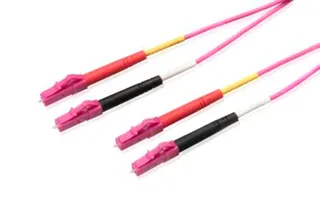
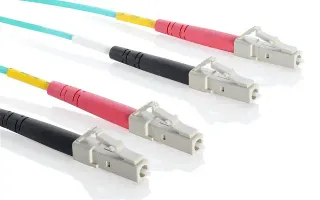
This patch cable connects two LC duplex ports over OS2 single-mode fiber. It is the cable for LR, ER and ZR optics, for cross-connects in the data center and for any link longer than a few hundred meters. The fiber is G.657A: insensitive to tight bends, so it keeps its values even in a full cable tray.
Single-mode: the optic sets the distance, not the cable
Over OS2 the optic decides how far you get: 10 km for LR, 40 km for ER, 80 km for ZR. A patch cable of a few meters adds hardly any loss, as long as the connectors are clean. Only use OS2 with single-mode optics (LX, LR, ER, ZR); SR and SX optics belong on multimode, for which there is the OM4 LC-LC patch cable.
G.657A: bend insensitive
Regular single-mode fiber (G.652D) loses light when bent too tightly. G.657A fiber tolerates a much smaller bend radius without extra loss. In a rack with tight cable management or a full tray, that saves you faults that are otherwise hard to find. Mind you: the connector itself stays sensitive, so never bend right behind the LC.
Connectors and jacket
- LC/UPC at both ends: the common polish for data center optics. If you have a green SC/APC port, this cable doesn't fit; for that you need an APC cable.
- Duplex: two fibers, as every regular optic uses. For BiDi optics you use one.
- LSZH, 2 mm: little smoke and no halogens in a fire, often a requirement in server rooms.
Pick the length in the selector, or work out your route with the patch cable length calculator.
For cross-connects and long links
On a cross-connect in the data center your link often runs through one or more patch panels. Every mated pair adds a few tenths of a dB of loss. With an LR optic over a few hundred meters you have plenty of margin, but with ER or ZR over long distances every connection counts. Work out your link budget beforehand and read the RX power via DOM after installing, so you know you're within the optic's specification.