CRC errors on a fiber link: check the patch before the optic
CRC errors climbing on your uplink? Read DOM on both ends, find the real cause, and swap the transceiver last. A troubleshooting order backed by data.
CRC errors are incrementing on your uplink. Not fast, but they don't stop, and the link may be flapping now and then too. The reflex is to pull the optic and put a new one in. Hold off: the transceiver shouldn't be your first suspect. This article explains what the counter actually measures, what a large public study says is usually behind it, how to use DOM from both ends to pin down the cause, and a checklist in the order that costs the least time and money.
What a CRC error is, and where you see it
Every Ethernet frame ends with a Frame Check Sequence (FCS): a 32-bit CRC over the rest of the frame, defined in IEEE 802.3. The receiver computes the same CRC. If it doesn't match, bits were flipped in transit and the switch drops the frame. That is why you'll see them called both CRC errors and FCS errors.
Where they show up:
- CLI — under
input errorswith a separateCRCcounter, or asFCS-Errin an interface error summary. The name differs per platform. - SNMP —
ifInErrorsin IF-MIB counts all errored inbound frames, FCS errors included;dot3StatsFCSErrorsin EtherLike-MIB counts FCS errors only.
Keep two things in mind. The error is counted on the receiving port, but the problem sits somewhere on the path from the transmitter at the far end. And counters are cumulative: clear them and watch whether they keep climbing, or you'll be chasing last month's problem.
What's usually behind it
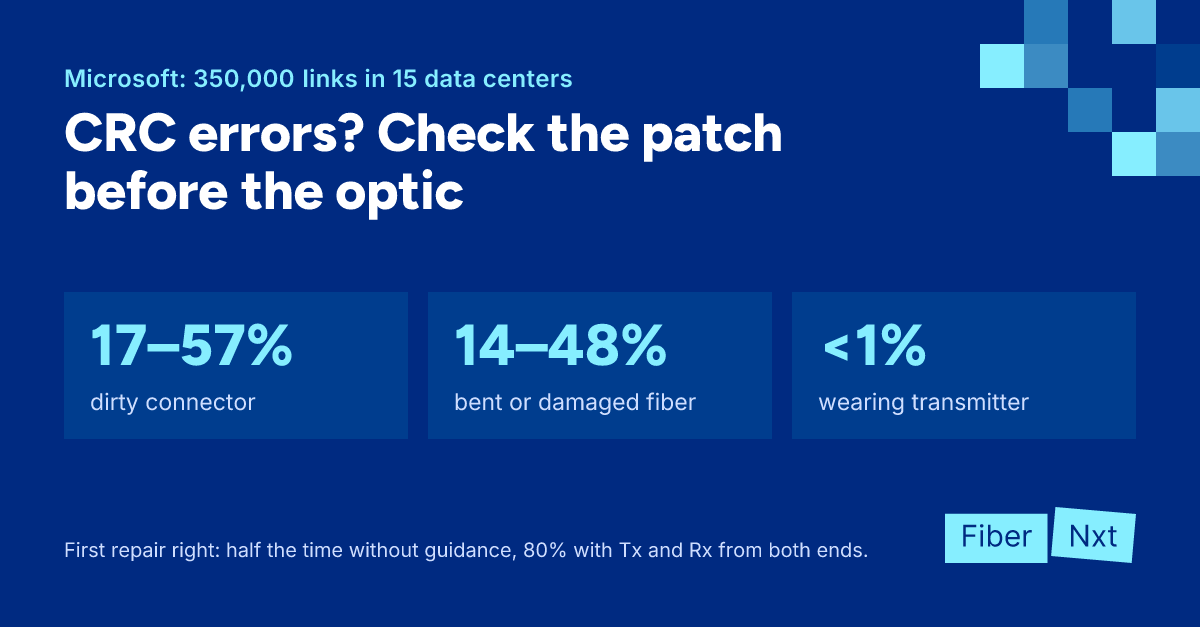
Microsoft monitored 350,000 optical switch-to-switch links across 15 data centers and matched more than 300 trouble tickets against the optical power readings (SIGCOMM 2017). Here's how the root causes split:
| Root cause | Share |
|---|---|
| Contaminated connector | 17–57% |
| Bent or damaged fiber | 14–48% |
| Bad or loosely seated transceiver | 6–45% |
| Shared component (breakout cable, switch) | 10–26% |
| Decaying transmitter | <1% |
The ranges are wide because technicians often did two things at once, cleaning and reseating, without logging which one fixed it. The message is still clear: the patch and the fiber are the culprit more often than the optic, and a laser that is genuinely wearing out is rare.
Three more findings you can use straight away. The corruption rate on a link was stable over time and unrelated to load, so this isn't about a busy day; it's physical. Corruption was almost always one-directional: only 8.2% of affected links had errors in both directions. And without targeted guidance, the first repair attempt fixed the link only half the time. When technicians followed recommendations based on Tx and Rx power from both ends, that rose to 80%.
A caveat: these are hyperscale data centers with a huge number of short links. Your network is smaller, but the physics is the same.
Reading DOM on both ends
DOM/DDMDOM/DDM Digital Optical Monitoring / Digital Diagnostic Monitoring: Der Transceiver meldet live Temperatur, Versorgungsspannung, Laserstrom sowie Sende- und Empfangsleistung. gives you Tx power and Rx power for every transceiver. Read them on both ends and put them side by side. Based on the study, this is how the causes look:
- Rx low in one direction, Tx fine everywhere — contamination. The light leaves fine but arrives weak. Clean both ends of that fiber.
- Rx low on both sides, Tx fine — the fiber itself: a kink, a bend tighter than its bend radius, or a damaged cable. Often both switches log errors.
- Tx low on one side and Rx low at the far end — that transmitter is putting out too little. This is the case where you swap the transceiver straight away.
- Everything normal, errors anyway — a bad or loosely seated transceiver, or a non-optical issue. Reseat first, replace second. If several ports on the same switch error at once with good readings, look at a shared breakout cable or the switch itself.
Two traps. SFF-8472 allows ±3 dB of measurement error on Tx and Rx power, so compare against the same module's earlier readings and the other end, not just an absolute number. And not all contamination lowers Rx: some causes reflections that DOM can't see. So cleaning stays step one even when the numbers look fine. How much loss a link can take is covered in reach codes.
Errors that aren't the optic
- Duplex mismatch — on copper. With one side at full duplex and the other at half, CRC, FCS and runt counters climb. Set both ends the same. A speed mismatch usually just keeps the link down.
- FEC mismatch — at 25G and above. The FEC mode (off, FC-FEC or RS-FEC) must match on both ends. If not, the link stays down, or comes up and throws errors. Check this before you swap hardware.
- DAC — a DACDAC Direct Attach Copper: ein Kupferkabel mit fest montiertem Transceivergehäuse an beiden Enden. Günstig und sparsam für kurze Strecken, meist wenige Meter innerhalb des Racks. is cable and transceiver in one. Errors on a DAC mean swapping the whole cable for a known-good one.
- Cut-through switches — these can forward a corrupt frame before the CRC has arrived, and mark it as bad. You then see errors on several switches. Find the first hop where they appear; the problem is on the link into that port.
Flapping links
A link that flaps, going down and up repeatedly, often has the same cause as CRC errors, only worse: Rx drops far enough that the receiver loses the signal. Same approach. Check Rx on both ends, clean, and measure path loss with a light source and power meter if in doubt. Timers that hide the flapping don't fix anything.
The checklist, in this order
- Clear the counters and confirm the CRC errors are really still increasing, and on which side.
- Read DOM on both ends and note Tx and Rx power side by side.
- Inspect and clean both connectors of the link, including the transceiver side and every patch panel in between.
- Swap the patch cord for a new or known-good one.
- Walk the route for kinks and tight bends, especially in the bottom row of a fiber tray or patch panel, and near doors that can pinch cables.
- Compare the DOM readings again with your first measurement.
- Reseat the transceiver, and only replace it after that if the errors persist.
- Try another port or line card last.
We're building Praevisio, now in BETA with a waitlist. It correlates CRC and FEC errors and link flaps with DOM values, measured against each module's own baseline, and advises the cheapest cause first. For example: "Clean the connection first. Praevisio then measures again for fifteen minutes. If the advice is still the same, only then: swap the transceiver." Your data stays in the Netherlands.
Want to start now? A Clear Connection Tool and a few spare patch cords (OS2, OM4) fix more CRC errors than a new optic does. Still seeing errors? Call an engineer or have us test the link through our services.

Gründer von FiberNxt und Xyphen IT
Yvan Watchman ist Gründer von FiberNxt und Xyphen IT. Er baut und betreibt seit Jahren Netzwerke und Rechenzentrumsinfrastruktur in und um Amsterdam.
Passende Produkte und Dienstleistungen
Häufig gestellte Fragen
What do CRC errors on a switch port mean?
Frames are arriving whose checksum (the FCS at the end of every Ethernet frame) does not match their contents, so bits were flipped on the way. The switch normally drops the frame and counts it as an input error. The counter tells you something is wrong on the path into this port, not what.
Should I replace the SFP as soon as I see CRC errors on fiber?
No. In a Microsoft study (350,000 monitored links, more than 300 analysed trouble tickets), a contaminated connector or damaged or tightly bent fiber together were the root cause more often than the transceiver. Clean and inspect both ends and swap the patch cord first; the optic comes after that.
Why are CRC errors only increasing on one side?
Because in a duplex link each fiber carries light in one direction. Dirt or damage usually sits in one of the two fibers of a duplex link, so only the receiving side sees errors. That actually helps you narrow it down.